Graveyard Orbit Keyboard & Controller Tips
Fly, mine, and rebuild your ship without fighting the bindings.
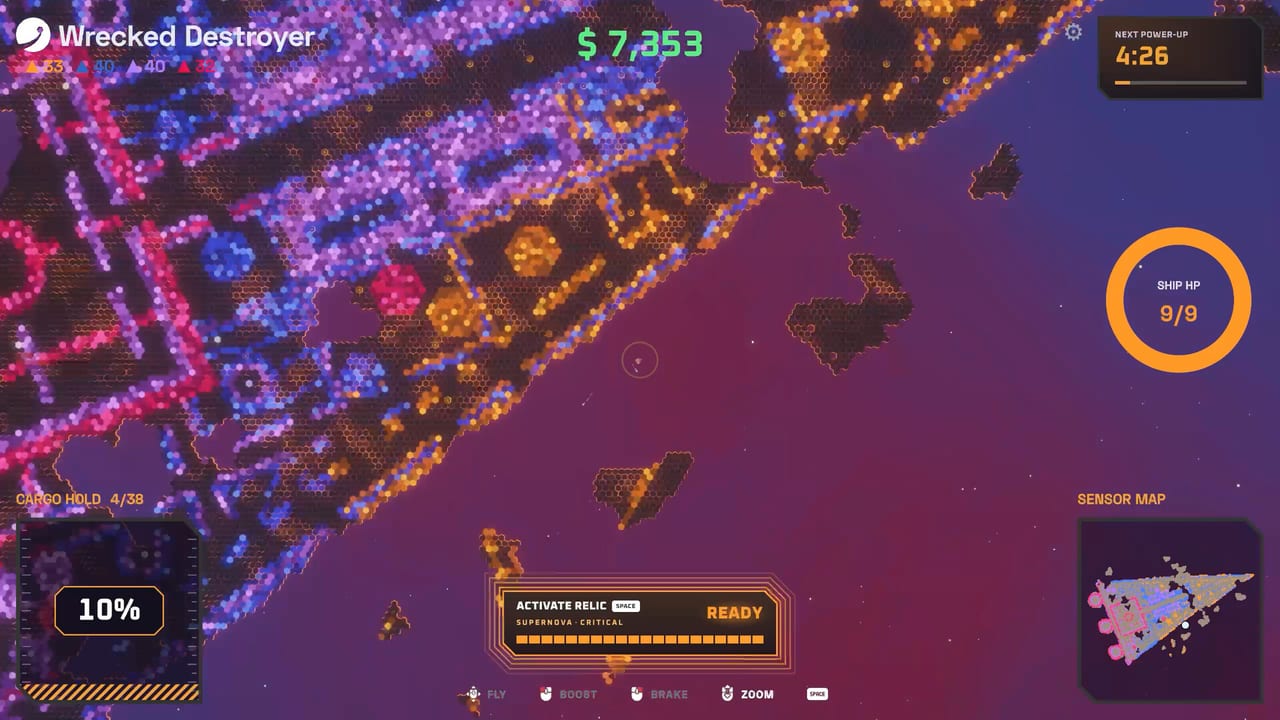
Graveyard Orbit is a relaxing space mining incremental, but smooth controls still decide how fast gold and blue ore become Extractor cash. This guide covers keyboard and mouse habits, full controller support tips, shipyard editing comfort, and quality-of-life settings. Pair it with system requirements and the Tools Hub when you set up a new PC or living-room steam session.
Default mindset
You pilot a modular mining ship around wrecks and megastructures, auto-firing equipped weapons at nearby tiles while you steer, boost, and scoop haul. Color match still matters: park lasers on gold, dynamos on blue, and anything reliable on black. Controls should help you stay on the correct seam—not just look cinematic.
Keyboard and mouse basics
Expect standard top-down movement on WASD or arrows, mouse aim or cursor context for menus, and dedicated keys for boost, interact, and pause. Use the in-game rebind screen if a key fights your layout. Precise mouse control shines in the shipyard grid when you snap lasers, cargo, and belts into tight walls.
Tips for keyboard pilots:
- Rebind boost to a comfortable finger if you strafe a lot around glowing cores.
- Keep pause nearby; Overtime runs are long and interruptions happen.
- Use mouse precision when placing Quad laser lines or Extractor belt turns.
- Lower mouse acceleration in Windows if shipyard dragging feels floaty.
Controller basics
Steam lists full controller support and DualSense support. On gamepad, movement usually lives on the left stick, with face buttons covering boost, confirm, and contextual actions. Triggers or bumpers often handle secondary actions depending on the final binding profile—open the in-game prompt overlay the first time you connect a pad.
Tips for controller pilots:
- Enable the official Steam Input profile if community layouts conflict.
- Prefer wide grinding mods like Aura Farm when you want less stick micro—see the mods tier list.
- Sit closer to the structure only when shields allow; contact weapons punish panic boosts.
- Recalibrate deadzones if slow drift pulls you off gold seams.
Shipyard editing comfort
Most progression happens between runs: research departments, spend shards, expand the chassis, and route belts. Keyboard and mouse remain king for dense laser walls, but controllers can still navigate menus if you accept slightly slower part placement. Zoom comfort matters—large grids are easy to mis-click when you are tired after a long salvage.
Workflow suggestion:
- Plan the weapon tree using the weapons tier list.
- Place power and cargo before spamming every turret slot.
- Route Extractor belts so haul converts instead of idling.
- Slot Crack, Surge, or Beam ramp mods before cosmetic extras.
- Test on a short wreck before Overtime.
Mining loop habits
Good controls habits beat raw DPI:
- Approach matched ore from an angle that keeps most turrets online.
- Boost through empty space; ease off when weapons need dwell time (Beam ramp loves stable tracking).
- Watch pickup radius upgrades—overshooting ore wastes movement.
- When hazards spawn, prioritize survival inputs over greedy center dives.
Accessibility and session length
The design supports playable-without-timed-input traits and custom volumes. That means you can pause, adjust audio, and continue without punishing timers. For marathon Overtime Mode, mix controller comfort with occasional keyboard shipyard sessions. Stretch breaks matter when structures hit six-figure tile counts.
Dual PC and TV setups
Desk players often keep keyboard for editing and mouse for menus. Couch players should verify HDMI mode (game mode on TVs reduces lag) and keep the controller charged. If you swap devices mid-campaign, reconfirm bindings so boost is never missing during a bad approach.
Common control mistakes
Fighting default binds for an hour instead of rebinding once. Editing a laser wall on a stick when a mouse is available. Ignoring deadzones until the ship creeps off blue ore. Boosting into contact range without shields. Forgetting pause exists during real-life interruptions.
After you can fly cleanly
Return to Getting Started for progression order, then optimize clear speed with tier lists. Track binding or UI changes in release notes. Official store and community resources sit on Links.
Master movement and shipyard placement first. Weapons and mods only pay off when you can keep the correct color under your guns and the haul flowing into the Extractor without constant misclicks.
Frequently Asked Questions
Quick answers about mining, ships, and progression.
Can I play Graveyard Orbit entirely on a controller?
Yes for mining runs. Dense shipyard edits are faster with mouse, but full controller support covers gameplay.
Does the game support DualSense?
Steam lists DualSense controller support. Use Steam Input if features need enabling.
Should I rebind keys immediately?
Finish the tutorial on defaults, then rebind anything that fights your hands. Small changes beat full overhauls.
What mods feel best on gamepad?
Aura Farm and stable beam tools reduce flick aim. Mark mods like Crack still need you to finish highlighted tiles.
Where are PC specs?
See system requirements for minimum and recommended hardware.