Graveyard Orbit Player Tools
Controls reference and PC requirements for smooth mining runs.
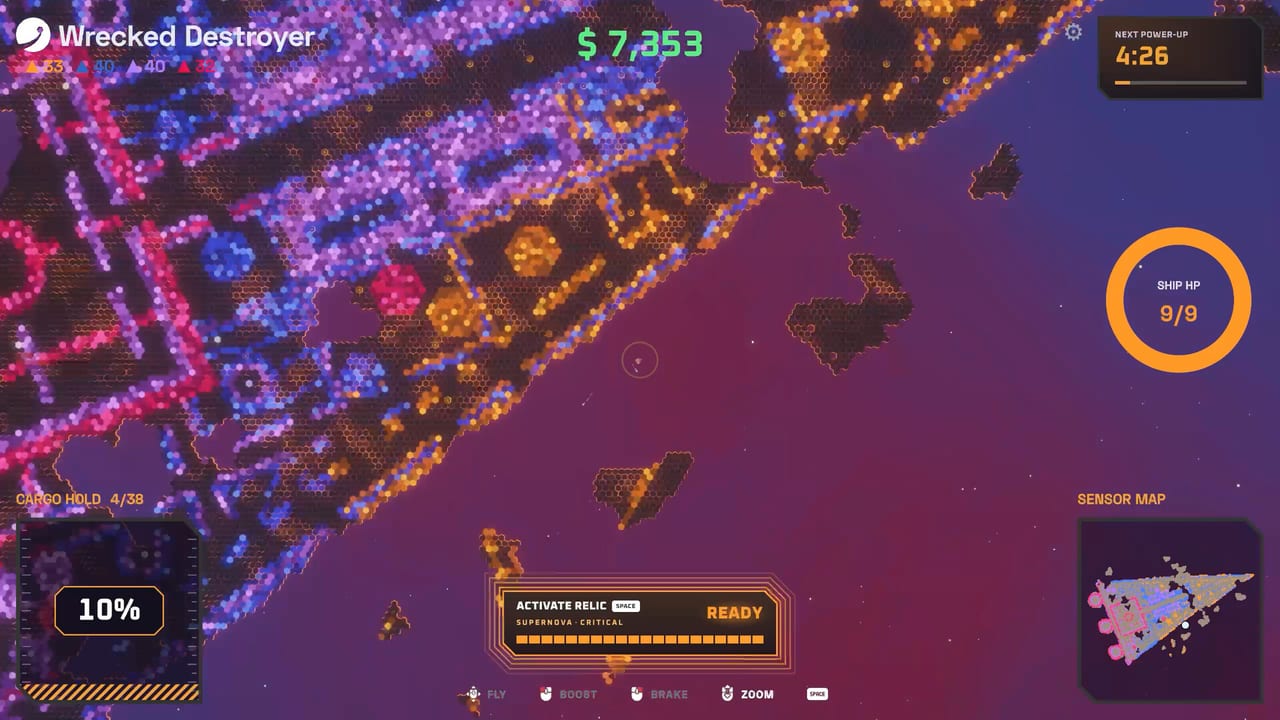
This hub collects practical tools for Graveyard Orbit pilots: how to fly the ship on keyboard or controller, and whether your Windows PC meets the Steam specs before a long Overtime contract. Anchorhead Games ships full controller support, DualSense features, and a relaxing top-down mining loop—but setup still matters when megastructures climb past a hundred thousand tiles.
What you will find here
- Controls — movement, mining focus, shipyard navigation, and gamepad tips
- System requirements — minimum and recommended hardware plus performance advice
- Achievements — practical unlock tips for all 12 Steam achievements
Use these pages alongside Getting Started when you first launch, and revisit them when you upgrade monitors, swap to a deck-like handheld, or notice hitching on large wrecks.
Why controls deserve their own page
Graveyard Orbit is casual, not twitch-only, yet good habits save contracts. Color-matched ore still needs you to position lasers on gold and dynamos on blue. Pickup radius, boost, and camera comfort change how fast haul returns to the Extractor. Controller players get first-class support; keyboard players get precise grid edits in the shipyard. The controls guide covers both without burying you in binder dumps.
Why specs matter for an incremental miner
Tile counts scale hard. Early wrecks near five thousand tiles feel light; later megastructures approach two hundred fifty thousand tiles with neon layers, drones, and belt simulations. Minimum specs (Windows 10, i5-6500 or Ryzen 3 1200, 8 GB RAM, GTX 750 Ti or Radeon R7 360) will run the game. Recommended specs (Windows 10/11, i5-10400 or Ryzen 5 3600, 16 GB RAM, GTX 1060 or RX 580) keep Overtime Mode smoother when particle effects and large grids stack. Details and tuning tips live on system requirements.
Suggested workflow for new installs
- Confirm your PC clears minimum specs—or plan settings if you are close.
- Complete the in-game tutorial with default bindings.
- Read controls and rebind only what fights your muscle memory.
- Start a short campaign wreck before committing to Overtime.
- Cross-check build ideas on the weapons tier list once shards drop.
- Track the achievements list after your first Extractor passes and Overtime run.
Tools versus guides and tiers
Guides teach systems and progression. Tier lists rank weapons and mods. Tools answer “how do I operate the client?” Keep them bookmarked separately so you are not hunting keybinds inside a strategy essay. When patches change UI or add accessibility options, we note them under Updates and adjust these pages.
Accessibility and comfort
Steam lists custom volume controls, playable-without-timed-input traits, and full controller support. That design fits longer salvage sessions. If you play on a TV with a pad, prefer ring-style mods like Aura Farm from the mods tier list to reduce flick stress. Keyboard users can micro laser walls with finer placement during shipyard edits.
Performance checklist before Overtime
Close heavy browsers, keep GPU drivers current, and leave headroom above 8 GB RAM if you multitask. Large structures plus recording software can push older cards. If frames dip, lower effects first—mining clarity beats max particles. The requirements page expands this checklist.
Official links and wiki scope
Buy or verify files through the Steam store link hub. For what this fan wiki covers—and what it is not—see About this wiki. Build theory remains on Tier List and Guides.
Bookmark this Tools hub, set your bindings once, confirm your hardware, then get back to stripping wrecks tile by tile. A comfortable control scheme and stable frame time are quiet multipliers—just like a tuned Extractor belt.
Frequently Asked Questions
Quick answers about mining, ships, and progression.
Does Graveyard Orbit support controllers?
Yes. The Steam page lists full controller support, including DualSense. See the controls page for practical tips.
Is the game only on Windows Steam?
Launch targets Windows via Steam as a single-player title from Anchorhead Games. Check the store page for any later platform news.
Where are minimum specs listed?
On the system requirements page and the official Steam store listing.
Should I read tools before tier lists?
If you have not launched yet, yes—confirm controls and PC specs first, then study weapons and mods.